

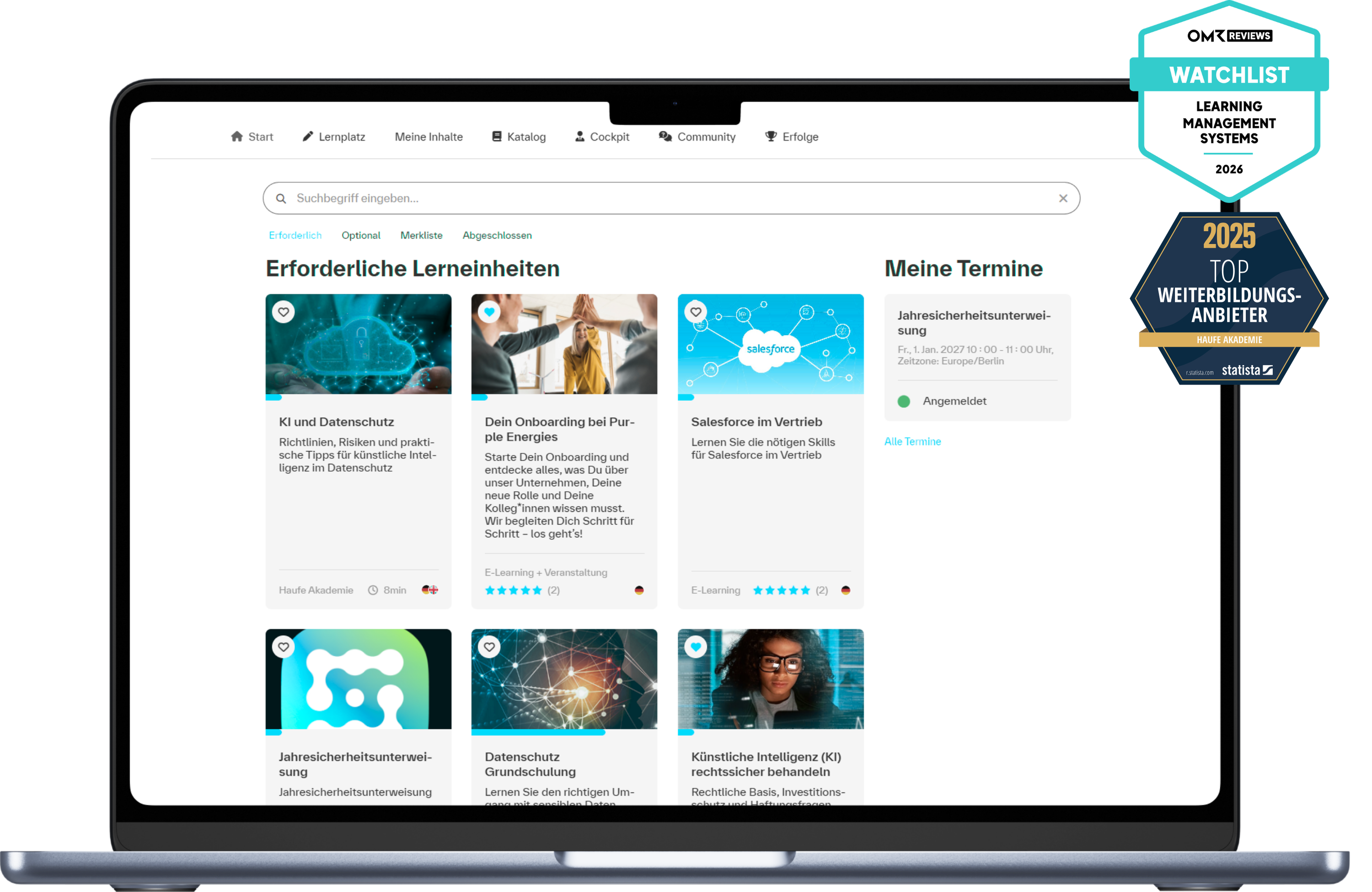
All " LMS" Features in Detail
From organizing and managing to evaluating learning activities: The LMS brings together all the key features you need for structured learning in a single platform.
.png)
Authoring tool
Create Content with a Custom Design
Create web-based training courses, videos, podcasts, documents, or interactive exercises directly in the LMS , customized to match your corporate design.
Designing Learning Paths
Combine content into customized learning paths to provide employees with targeted training and support their long-term professional development.
Target the audience effectively
Create effective learning content for a wide range of needs, for different target audiences, and in different languages.
Analysis & Reporting
Using Dashboards
Stayon top of the development status with role-specific dashboards for team leaders, authors, and admins.
Create Reports
Createcustomized reports and analyses to strategically guide skill development, drive data-driven initiatives, and demonstrate success.
Comply with reporting requirements
Reliably meetcompliance requirements with automated documentation, reminders, and audit-proof records.
AI Features
Create Content More Effectively
Use AI to create text content, descriptions, and learning concepts, or to optimize existing content in a targeted manner.
Translate Texts Intelligently
Translate texts into multiple languages at the click of a button to efficiently adapt and distribute educational content to international audiences.
Admin & Author Support
Use the built-in AI chatbot for help navigating the system or creating content to get results faster.
Skill Management
Manage Skill Profiles
Centrally track and manage qualifications, competencies, and skill profiles to identify development needs transparently and provide targeted support to employees based on their job roles.
Promote Skills Development
Compare existing and required skills using the skill matrix at LMS to identify and close skill gaps early on.
Assign Qualifications
Assign specific qualifications and development goals to employees in order to tailor training initiatives to their needs.
Event management
Organize Events
Organize seminars, in-person events, webinars, and blended learning programs all in one place on a single platform, and keep track of all dates and planning resources.
Managing Event Processes:
Centrally coordinate and automate invitations, appointments, and organizational processes to significantly reduce the planning workload.
Coordinate participants
Manage registrations, waitlists, trainers , and resources to efficiently plan and run events.
Roles & Permissions
Manage Roles & Permissions
Assign custom roles, permissions, and labels—even for different locations—so that each person automatically receives the appropriate learning opportunities and features.
Mapping Organizational Structures
Manage departments, locations, or companies centrally in the LMS —and across multiple clients if needed—to easily map even complex corporate structures.
Documentation & Supporting Evidence
Automate assignments, notifications, reminders, and approval processes to reduce administrative overhead and increase productivity.
Can be flexibly integrated into your system landscape
LMS s should adapt to your existing processes—not the other way around. That’s why our platform can be flexibly integrated into your learning and IT landscape and easily connected to existing systems, content, and standards.
Import existing SCORM courses or integrate your own and external learning content into your LMS via SCORM 1.2, cmi5, AICC, or xAPI LTI v1.3—without having to rebuild your existing learning environment.
Connect the " LMS " to your HR, HCM, or other third-party systems via open interfaces to automatically synchronize personnel data, certificates, and learning progress, and to avoid duplicate data entry.
Use connectors or the REST API to integrate the LMS into your own IT environment and, for example, connect AI models (ChatGPT, Gemini, DeepL, etc.) or communication solutions (Microsoft Teams, etc.).
Our LMS regularly receives new features and updates
Check out the latest release notes, including all the features and improvements to our learning platform.
In the course approval notification "Knowledge Test Failed," you can now also specify whether the user or the team leader will be notified. At least one notification option must be selected for the notification to be sent.
Practical Benefits: This feature enables more efficient management of the learning process by allowing users to either take immediate action on their own after failing a knowledge test or activate support from team leader .
Four new reports are now available in the Feedback section:
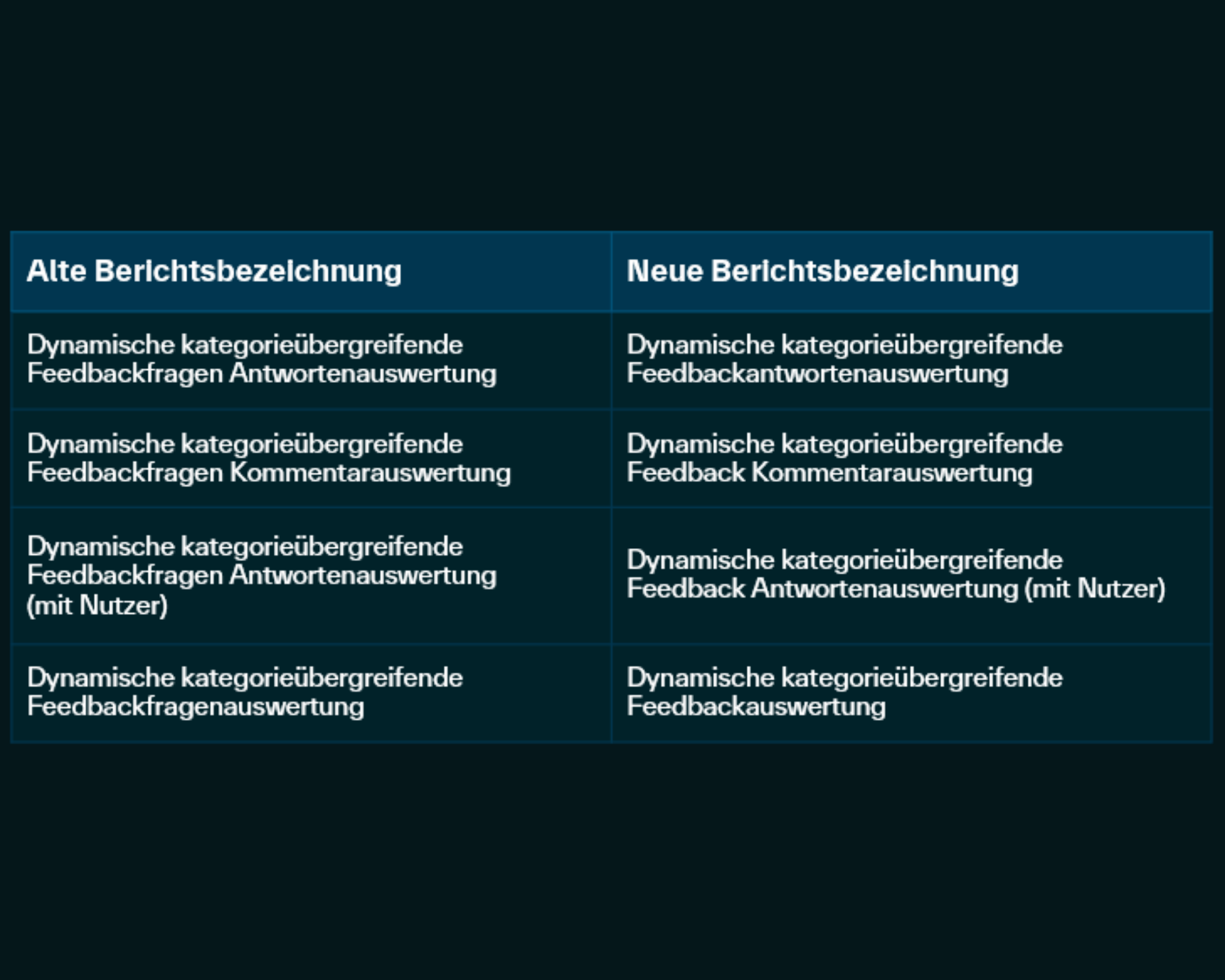
Dynamic Feedback Analysis, Dynamic Feedback Response Analysis, Dynamic Feedback Response Analysis (with User), Dynamic Feedback Comment Analysis. In addition, 4 reports were renamed. You can find an overview in the corresponding screenshot.
Change to the standard: If a time period filter is defined as a required filter in dynamic reports, only a maximum time period of two years can be selected between the start and end dates. This also applies to existing report settings. Please review your report settings accordingly.
Practical Benefits: The new feedback reports are ideal for effective quality control and enable a precise and flexible analysis of responses and comments, promoting transparency. This helps you quickly identify trends and areas for improvement.




Get advice
- 100% non-binding inquiry
- Response within 24 hours
- 10-minute needs assessment

Questions and answers about the LMS
There are no restrictions on access.
Yes, you can. Sign up for our personalized demo using the contact form. We'll walk you through our LMS and its features. You'll also receive a trial account for a limited time.
The minimum term of the license is three years.
The system offers an open API architecture (REST API) with various endpoints that can be used to exchange data and connect third-party systems to the Learning Management System . We are happy to check the requirements for a specific integration of the LMS into your system landscape on an individual basis. In addition to the REST API, common virtual meeting solutions (such as Microsoft Teams or Webex) can be connected directly to the LMS .
The organization of live training sessions and the corresponding participant management is possible. The live training itself - a webinar, for example - must be held using an external tool.
Yes, the functions of the LMS include target group control including automated distribution of learning content to these target groups. The prerequisite is that the target group identifiers are maintained accordingly in the user account data records.
The authoring tool allows you to easily create a variety of interactive learning materials, including quizzes, flashcards, interactive images, and more. Gamification and storytelling enable you to design engaging and motivating learning content. This content can then be integrated into courses as needed via the Learning Management System . Additionally, you can create separate exams (e.g., for certifications). AI features are available to assist you if desired.
The Learning Management System is a SaaS solution. The software is browser-based and can therefore be accessed via any standard browser on the move. This is independent of the operating system and only requires an internet connection. It is also possible to purchase a PWA (Progressive Web App).
The Learning Management System has an integrated authoring tool. In addition, various content (videos, images, SCORM files, etc.) can be stored in the Learning Management System .
Yes, the implementation of the Haufe Akademie e-learning portfolio is possible via LTI.
The Learning Management System offers a SCORM 1.2, cmi5, AICC as well as an xAPI and LTI v1.3 interface for remote content.
Yes, it is possible to adapt the system colors and the logo.
A one-step approval process can be stored as an option.
The Learning Management System itself offers 2FA, e.g. via an authenticator app. In the case of a login via SSO, the two-factor authentication of your identity provider can of course also be used.
Our Learning Management System offers the option of automated user data synchronization between the data-holding system and the LMS.
Yes, the Haufe Akademie Learning Management System uses SAML 2.0 or alternatively OpenID Connect. SCIM 2.0 is also available.
It is important here that the IdP (Identity Provider) of your company masters SAML 2.0 initiated by the service provider.
The system offers a REST API via which various other systems can communicate and interact with the Learning Management System . This enables integration into an existing system landscape if required. There are also direct integrations to various meeting conference solutions.
In principle, yes. However, this depends on the specific application scenario. We will be happy to advise you on your system-based questions.
The LMS is hosted in a data center in Germany. The data center is ISO-27001 certified and climate-neutral.
Yes, the LMS is a SaaS solution (Software as a Service). It is therefore cloud-based.