4.5
4.5
Open Badges
Add your digital badge to career networks and show what you can do.

Dramaturgy
Design
Implementation options in PowerPoint
In your online learning environment, you will find useful information, downloads and extra services for this training course once you have registered.
The attendees
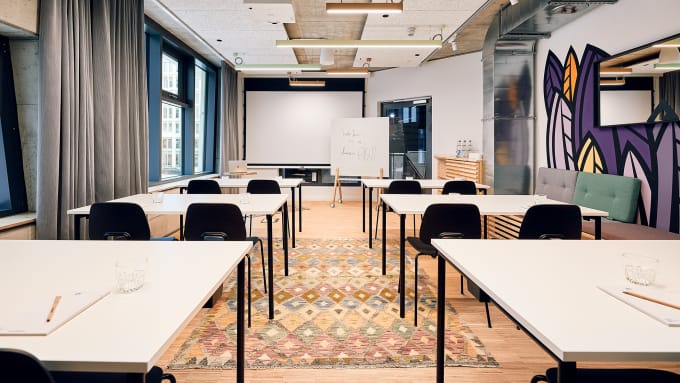
This is a practice-oriented training. Please bring your own laptop with PowerPoint and sample presentations so that you can carry out practical exercises yourself.
This is a practice-oriented training. Please bring your own laptop with PowerPoint and sample presentations so that you can carry out practical exercises yourself.
We recommend working with two screens so that you can participate in the training in the best possible way.
Specialists and managers and anyone who wants to inspire with PowerPoint presentations. Basic knowledge of PowerPoint is assumed.
What matters isn’t the amount of information, but how clearly you prioritize and structure it. Specialists and managers, in particular, are often faced with the task of conveying complex projects, concepts, or results in a clear and understandable way within a limited time frame. In the “ training ” (Presentation Masterclass), you’ll learn to identify key messages and organize content so that your audience quickly recognizes what matters most. Methods such as the pyramid principle, building suspense, and storytelling will help you turn a wealth of individual pieces of information into a coherent narrative. This results in presentations that inform while also leaving a lasting impression.
A clear overarching theme begins even before you design the first slide. First, you need to determine what your most important message is and what information the audience really needs to understand that message. In the “ training ” course, you’ll therefore explore the structure of presentations and learn how to organize content in a targeted way. Storyboarding helps you sketch out ideas and review the flow before investing a lot of time in individual slides. This makes it easier—especially when dealing with complex technical topics—to decide which content is important and in what order it should be presented.
A slide should support your message, not simply reproduce your entire presentation in writing. Especially in technical presentations, there’s a strong temptation to cram as many details as possible onto a single slide. However, this makes it difficult for the audience to listen and take in the content at the same time. In the “ training ,” you’ll learn how to develop clear and concise slides and visually highlight key messages. This will help you make more informed decisions about which information needs to be visible and which explanations are best conveyed verbally. The result is cleaner slides and a more compelling personal presentation.
Storytelling does not mean turning a factual presentation into an entertainment show. Rather, good storytelling helps put information into a context that is easy to understand. In everyday professional life, you often need to prepare for decisions, explain changes, or convince people of ideas. Individual facts are often not enough for this. That’s why, in the “ training ” course, you’ll learn how to use narrative arcs and storytelling in a way that aligns with your specific presentation goals. This will allow you to guide your audience step by step through your argument and make it clear why a topic is relevant, what the problem is, and what solution or conclusion follows from it.
AI can significantly speed up the creation of presentations, but it should not replace your professional judgment or your own message. It can be particularly helpful with initial drafts, ideas for visualizations, image creation, or structuring a presentation. In the “ training ,” you’ll learn about various ways to use AI tools for text, images, and entire presentations. At the same time, the principles covered—such as narrative structure, target audience orientation, and design—will help you critically evaluate results and refine them in a targeted manner. This way, you can use AI as a support tool while still maintaining control over the message, quality, and personal impact of your presentation.



Thursday, 29.10.2026
09:30 am - 5:30 pm
Friday, 30.10.2026
09:00 am - 4:30 pm
Thursday, 12.11.2026
09:30 am - 5:30 pm
Friday, 13.11.2026
09:00 am - 4:30 pm
Wednesday, 25.11.2026
09:00 am - 5:00 pm
Thursday, 26.11.2026
09:00 am - 5:00 pm
Monday, 30.11.2026
09:30 am - 5:30 pm
Tuesday, 01.12.2026
09:00 am - 4:30 pm
Thursday, 10.12.2026
09:00 am - 5:00 pm
Friday, 11.12.2026
09:00 am - 5:00 pm
Thursday, 17.12.2026
09:30 am - 5:30 pm
Friday, 18.12.2026
09:00 am - 4:30 pm
Monday, 25.01.2027
09:30 am - 5:30 pm
Tuesday, 26.01.2027
09:00 am - 4:30 pm
Wednesday, 10.02.2027
09:00 am - 5:00 pm
Thursday, 11.02.2027
09:00 am - 5:00 pm
Thursday, 25.02.2027
09:30 am - 5:30 pm
Friday, 26.02.2027
09:00 am - 4:30 pm
Thursday, 11.03.2027
09:00 am - 5:00 pm
Friday, 12.03.2027
09:00 am - 5:00 pm
Monday, 15.03.2027
09:30 am - 5:30 pm
Tuesday, 16.03.2027
09:00 am - 4:30 pm
Tuesday, April 20, 2027
09:30 am - 5:30 pm
Wednesday, April 21, 2027
09:00 am - 4:30 pm
Monday, 26.04.2027
09:00 am - 5:00 pm
Tuesday, 27.04.2027
09:00 am - 5:00 pm
Thursday, May 13, 2027
09:30 am - 5:30 pm
Friday, May 14, 2027
09:00 am - 4:30 pm
Monday, May 24, 2027
09:00 am - 5:00 pm
Tuesday, May 25, 2027
09:00 am - 5:00 pm
Monday, June 14, 2027
09:00 am - 5:00 pm
Tuesday, June 15, 2027
09:00 am - 5:00 pm
Monday, June 21, 2027
09:30 am - 5:30 pm
Tuesday, June 22, 2027
09:00 am - 4:30 pm
Thursday, July 22, 2027
09:30 am - 5:30 pm
Friday, July 23, 2027
09:00 am - 4:30 pm
Thursday, August 19, 2027
09:00 am - 5:00 pm
Friday, August 20, 2027
09:00 am - 5:00 pm
Tuesday, September 7, 2027
09:00 am - 5:00 pm
Wednesday, September 8, 2027
09:00 am - 5:00 pm
Monday, September 13, 2027
09:30 am - 5:30 pm
Tuesday, September 14, 2027
09:00 am - 4:30 pm
Training is guaranteed to take placeYour optimizer, innovator and companion since 1978 -
Your professional partner for professional development and seminars, training courses and topical conferences.
Whether on site, live online or in-house - our customised solutions, our claim to the highest level of consulting expertise and training tailored to your needs simplify the acquisition of skills for the working world of the future and sustainably facilitate professional development.
A wide range of seminars, individual coaching and our flexible formats support HR managers and decision-makers in shaping the future and developing employees, in-house teams and companies.
Experience the benefits of online training from the comfort of your own home. Our online formats meet the highest quality standards and are in no way inferior to face-to-face events in terms of practical relevance. Learn together live online in interactive groups or digitally at a time of your choice.
We are there for you Monday to Friday 8:00 a.m. - 5:00 p.m.
In our Questions & Answers (FAQ) section, you will find all the answers and the most frequently asked questions about your selected topic.